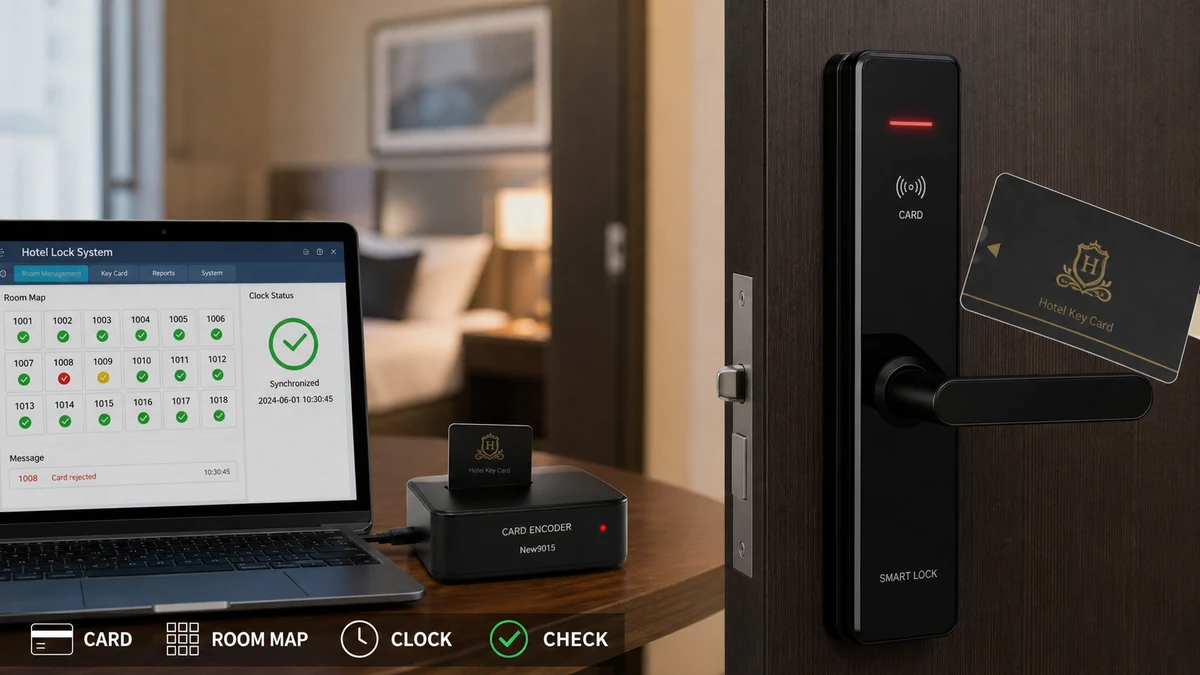
A hotel project purchasing manager should treat rejected new key cards as a configuration-and-evidence problem before approving replacement hardware. An offline hotel smart lock system may reject a card when validity, room mapping, credential type, encoder settings, system time, or lock initialization differs from what the door expects. The purchasing decision depends on proving whether the failure follows the card, stays with the door, or begins at one issuing station. Authorized hotel staff or the service provider should run that controlled comparison; procurement should preserve the results, avoid unverified substitutions, and define who owns correction. This article explains the diagnostic evidence a buyer needs, the compatibility and supplier questions behind each failure path, the hidden cost of a wrong replacement, and the acceptance criteria that should enter the next quotation.
The Buyer Challenge: A Card Can Encode Successfully and Still Fail
An encoder confirms that it wrote data to a compatible credential; it does not prove that the data authorizes a particular lock at a particular time. The offline lock still evaluates room identity, validity, credential role, its local clock, and its stored configuration. A successful “write” message verifies only one part of the transaction.
Diagnostic clue: When every new card fails at one door but works at other correctly assigned doors, the fault is more likely to remain with that lock’s identity, time, reader, power, or mechanical condition. When one card fails across multiple intended doors while other cards work, focus first on that card and its issuing record.
A Controlled Test Matrix Before Any Purchase Decision
Use a controlled comparison and record each result. Avoid creating many new cards at random, because that destroys the clean test conditions and can add security risk.
- Record the room, lock identifier, time, card identifier if available, card type, issuing workstation, encoder, staff user, and exact lock response.
- Test the failed card only on doors it is authorized to open. Do not use occupied or unrelated rooms as convenient test points.
- Test a known-good authorized card at the affected door.
- Issue one controlled test card for the affected room using verified dates, times, and credential type.
- If permitted by the system procedure, compare the issuing record and lock audit or indication without changing configuration.
- Classify the pattern as card-specific, issuing-station-specific, room-specific, lock-specific, time-related, or intermittent.
A Representative Front-Desk Replacement Scenario
Scenario: Front-desk computer replacement in an operating hotel.
Business Background: An 80-room property reconnects its existing key card encoder to a replacement computer before a busy arrival period.
Problem: The encoder reports successful card writing, but newly issued cards fail on one floor while older authorized cards still open the same doors.
Cause: The restored room database, workstation time, floor mapping, and installed lock identities have not been reconciled. The symptom looks like defective cards, but the evidence points to a configuration boundary.
Recommended Solution: Stop issuing from the affected setup, preserve the old and new records, and run a controlled card-door-encoder matrix. Confirm time and room mapping before purchasing cards, an encoder, or replacement locks, then require the supplier to document the corrected configuration and acceptance test.
Field insight: The most useful troubleshooting record is a small test matrix, not a statement that “cards do not work.” Record card A/card B, door A/door B, encoder A/encoder B, issue time, intended validity, and result. This gives the supplier evidence that can be compared with the system logic instead of forcing a parts-first guess.
Why Validity Rules and Card Type Affect Replacement Decisions
Confirm the start and expiry time, room or access group, credential role, and supported card technology. A newly issued card can still be invalid because of an incorrect workstation date, future start time, wrong room, damaged media, or an unsuitable guest- or staff-card template. Use the hotel’s approved procedure to determine how replacement cards affect previous permissions.
Common mistake: Staff sometimes solve a time-entry error by issuing a card with an unnecessarily long validity period. That may make the door open, but it hides the root cause and weakens access governance. Correct the workstation, template, or operating procedure, then issue the least permission needed for the intended stay.
Room Mapping Errors Can Look Like Hardware Defects
The room shown at the front desk must match the identity stored in the lock. Database restoration, renumbering, replacement, duplicated setup, or a poor commissioning record can separate them. Preserve the current data before reinitializing anything, because a reset can affect active credentials and auditability.
Project-planning insight: Keep a room-level register connecting the physical door, room identity, lock model, initialization record, and acceptance result. It becomes the reference when a lock or workstation is replaced.
Encoder and Software Compatibility Belongs in the Purchase Scope
Confirm the encoder model, card technology, workstation, driver or software requirement, user permissions, and database version. A replacement computer can recreate the visible interface while using an outdated database or incomplete configuration.
Haolock’s verified portfolio includes hotel-oriented smart locks and related card, encoder, computer-management, access-control, and elevator-control products. Even so, support requires the exact installed lock, encoder, card type, management method, and interface scope.
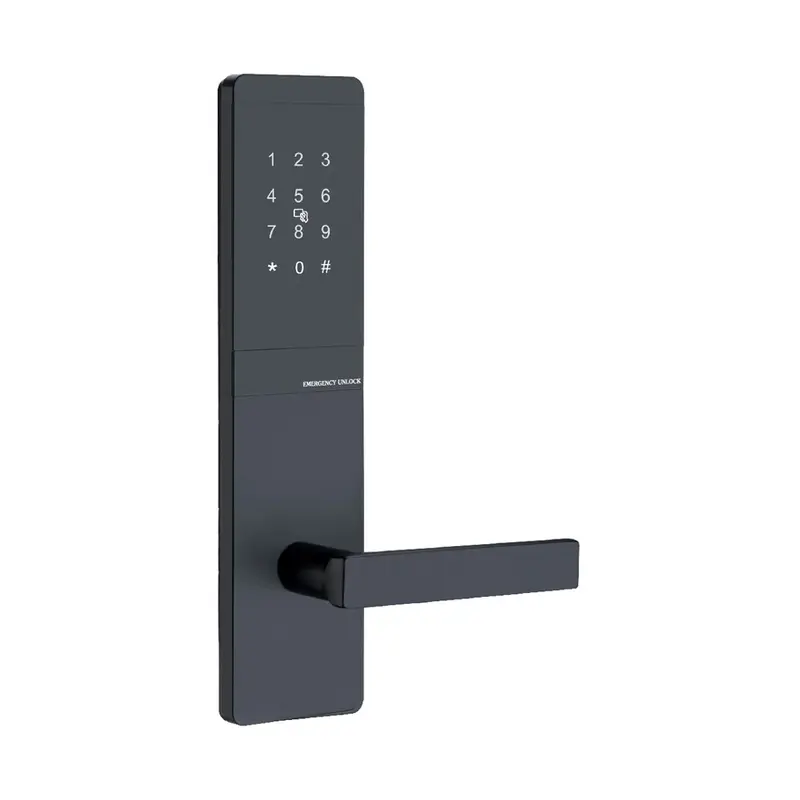
Buyers can also review the 2101 Black Password Lock as a product reference, while confirming separately whether its lock body, credential method, encoder, software, and project configuration match the installed hotel system.
Compatibility risk: Replacing only the encoder with a physically similar unit can introduce a second problem. Procurement should require a configuration-specific part number or written compatibility confirmation, including any driver, software, card, or programming requirements.
Why an Offline Lock Clock Changes the Diagnosis
The workstation writes a validity window, while the offline lock evaluates it using its local clock. A difference can make a new card appear not yet valid or already expired. Compare workstation and lock time through the approved service method, investigate battery or replacement events, and correct the source instead of issuing unnecessarily long credentials.
Maintenance insight: Verify and record clock difference after battery service, lock replacement, database restoration, or other events that may affect timekeeping.
Initialization Records Decide Whether a Replacement Is Compatible
A replacement lock may be mechanically installed yet retain the wrong room identity, time, or credential rules. Review the commissioning sheet, room assignment, configuration record, reset history, and acceptance test. Initialization should remain with trained, authorized personnel because it can affect active credentials and security records.
Installation problem: Teams sometimes test a replacement with a general-purpose service credential and declare success. That proves the mechanism can respond, not that a normal guest card issued through the hotel’s front desk will work. Final acceptance must include a newly issued guest credential for the correct room and time window, followed by the hotel’s approved cancellation or checkout test.
Authorization Failure or Mechanical Failure? The Cost Paths Differ
Observe the response without forcing the door. Rejection suggests an authorization path; no response may involve card media, reader, or power; authorization followed by failure to open points toward the handle, latch, spindle, or alignment. Model indications vary, so use the manufacturer’s documentation and do not bypass protected settings.
Inspection point: A lock that accepts the card but cannot retract a loaded latch is not a credential failure. Recording whether authorization occurred before the mechanical failure prevents unnecessary encoder, card, or software replacement and directs attention to door alignment and lock hardware.
The Evidence Package a Supplier Needs Before Quoting
Escalate faults affecting multiple rooms, protected configuration, data integrity, repeated clock drift, suspected damage, or safety-related operation. Send the supplier the lock and encoder models, card type, management method, room identity, validity settings, time observations, initialization history, photographs, test matrix, and recent changes. Remove guest-identifying data unless approved and necessary.
Turning One Failure into Better Acceptance Criteria
Turn the incident into a purchasing control. Update the approved list for locks, cards, encoders, management components, and replacement parts. Require room-level initialization, time verification, guest-card workflow testing, labeling, and named commissioning responsibility.
Future quotations should cover the working system: hardware, cards, encoders, management components, accessories, documents, tests, commissioning, spares, packaging, and support. Confirm configuration-specific MOQ and lead time because no universal figures are verified in the client data.
Hidden-cost insight: An inexpensive unverified replacement can consume more labor and room downtime than its purchase price. The RFQ should ask who confirms compatibility, who initializes the component, what evidence closes acceptance, and what happens if the supplied part does not match the installed system.
FAQ
Can an offline hotel lock work without a live network?
Yes, depending on the system design. “Offline” usually means the door does not need a live network connection for every opening. The lock may still depend on correctly issued cards, an encoder, management data, a local clock, room identity, initialization, and controlled service procedures.
Why does an old key card work when a newly issued card does not?
The new card may have the wrong room, role, validity window, card technology, or issuing configuration. The old card may also reveal that the lock and mechanical hardware are functioning. Compare issuing records and permissions; do not simply copy an older credential with broader access.
Can clock drift make a card appear expired immediately?
Yes. If the lock clock and issuing-system time differ, the lock may interpret a newly issued card as not yet valid or already expired. Verify both clocks through the approved method and investigate why the difference occurred.
Should the lock be reset when new cards fail?
Not as the first step. A reset or reinitialization can change room identity, time, configuration, active-card behavior, or records. Isolate the fault and preserve evidence first, then follow the authorized model-specific procedure if initialization is proven necessary.
How can a buyer confirm a replacement encoder is compatible?
Provide the supplier with the installed lock model, current encoder model, card type, management software or method, interface details, and destination. Request a configuration-specific part number or written confirmation, plus installation, driver, initialization, and acceptance requirements.
What evidence should be retained after the repair?
Keep the symptom record, test matrix, root cause, configuration or part change, authorization, time and room checks, before-and-after results, affected rooms or lots, and updated commissioning record. This evidence supports repeat-fault analysis and future supplier evaluation.
The Procurement Decision After Diagnosis
New key cards are rejected when the information written at the front desk does not match the permission, identity, time, or condition evaluated at the door. A controlled card-versus-door test, followed by validity, room mapping, encoder, clock, and initialization checks, finds the fault more reliably than replacing parts. The same evidence should improve the next RFQ, spare-parts order, and commissioning plan so the hotel does not repeat the failure across more rooms.
Request Configuration Review or Replacement Support
For configuration review or replacement support, send the installed lock and encoder models, card type, management method, affected room pattern, validity settings, lock-time observations, initialization history, photographs, and controlled test results through Haolock’s contact page. Haolock can use this evidence to review component compatibility, identify the next authorized check, and prepare a quotation when a verified replacement or project-level correction is required.